SEJR POS · Restaurant and online
Split the bill at the table
Here you learn how to let the guests at a table pay separately.
Watch how it is done53 sec.
You give each guest their own items, and each guest can pay in their own way.
Step by step
Tick a step when it is done
Button names are written as they appear on a till set to Danish. The brackets give the name on a till set to English, the first time a button is mentioned. Change the till's language
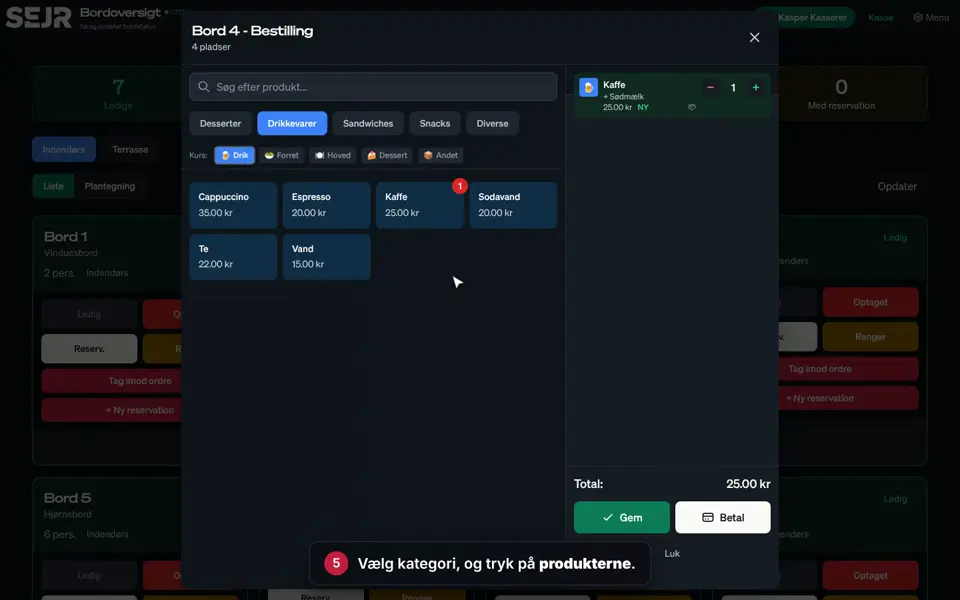
- Go to Bordplan (Floor plan), and tap Tag imod ordre (Take order) next to the table.
- Tap Betal (Pay).
- Tap ✂ Split regning (✂ Split bill).
- Guest A pays cash. Tap the guest's items.
- Tap + Tilføj delbetaling (+ Add split) for the next guest.
- Choose how guest B pays, e.g. Kort (Card).
- Tap guest B's items.
- Tap Gennemfør split (Complete split).
- Take guest A's cash, and tap Lige (Exact).
- Guest B pays on the card terminal.
- Choose whether the guests should have a receipt.
Good to know
- All items must be assigned: You can only complete the split once it says ✓ Alle produkter tildelt (✓ All products assigned).
- Equal shares: Choose Manuelt beløb (Manual amount) instead of Per produkt (Per product), and use ½.
- Banknotes: If the guest pays with a banknote, tap the note instead of Lige.
- Undo: Tap Annuller split (Cancel split) to start again.
Finishing up
The bill is paid, and the table is ready for new guests.
Still not working? Contact SEJR Support. We are happy to help.
Did the guide help you?