Help centre · SEJR POS
Reports and accounts
Z report, journal and bookkeeping. Choose what you need help with. Each guide is a short video with the steps written out.
10 video guides
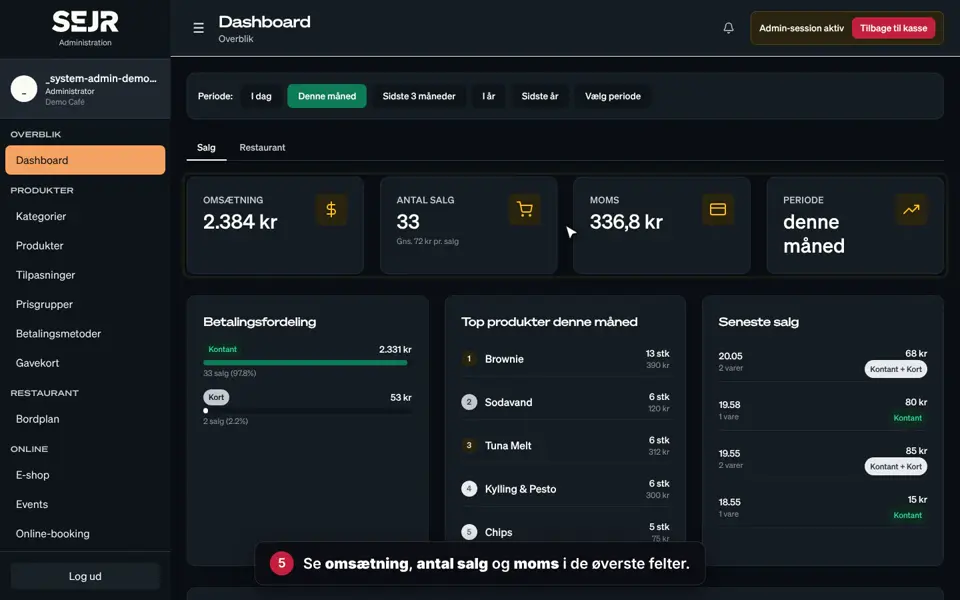 0:43 Use the dashboard Learn how to use the dashboard in Admin. Video 0:43 · 10 steps→
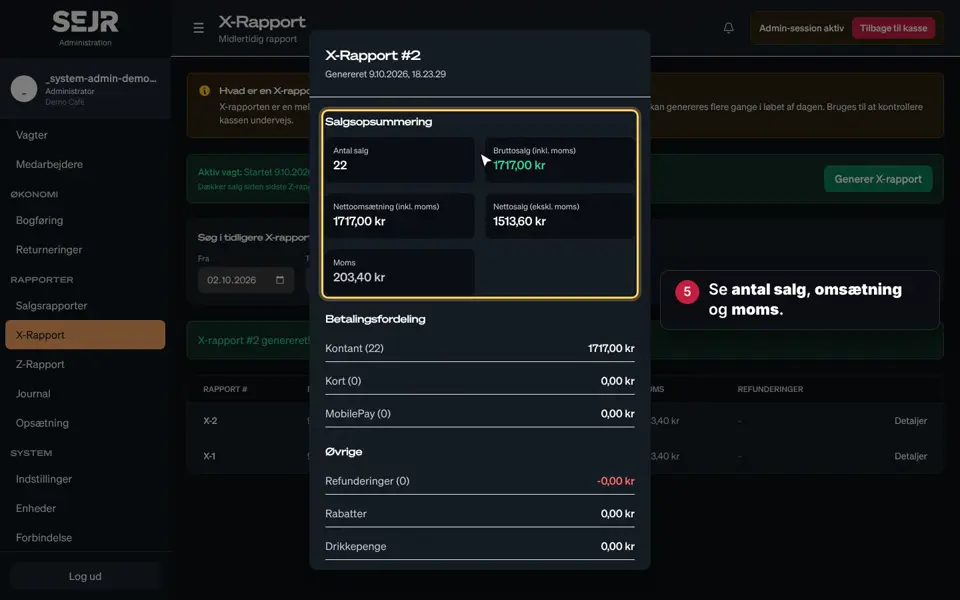 0:43 Use the X report Learn how to use the X report in SEJR POS. Video 0:43 · 10 steps→
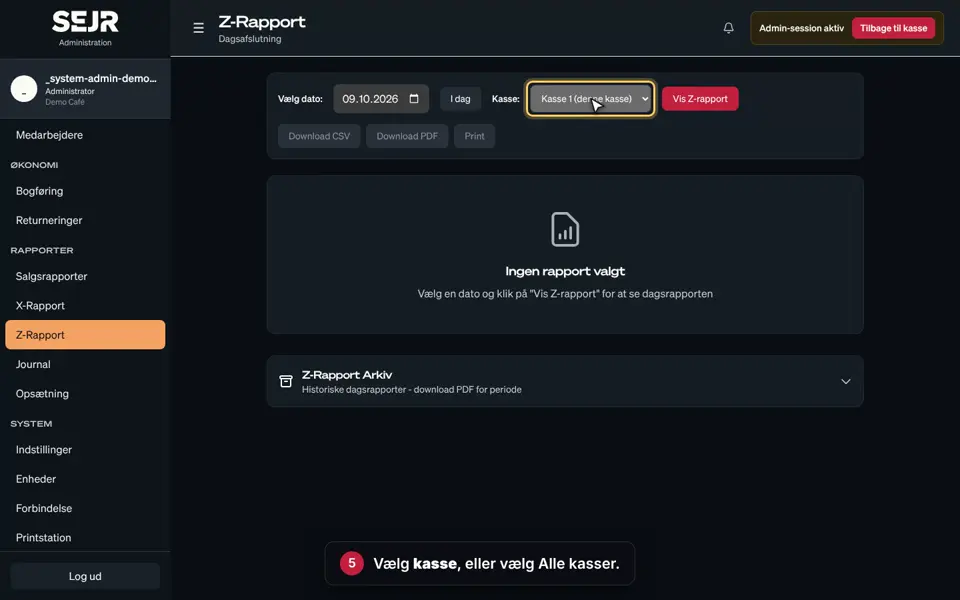 0:39 Find your Z report Learn how to find, save and print your Z report in SEJR POS. Video 0:39 · 9 steps→
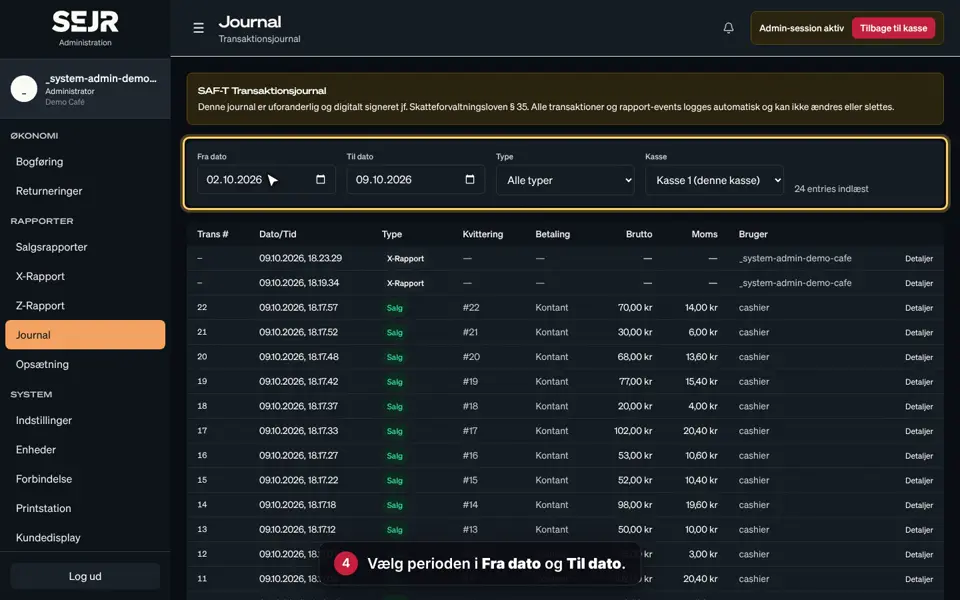 0:33 Use the journal Learn how to find a specific transaction in the journal in SEJR POS. Video 0:33 · 8 steps→
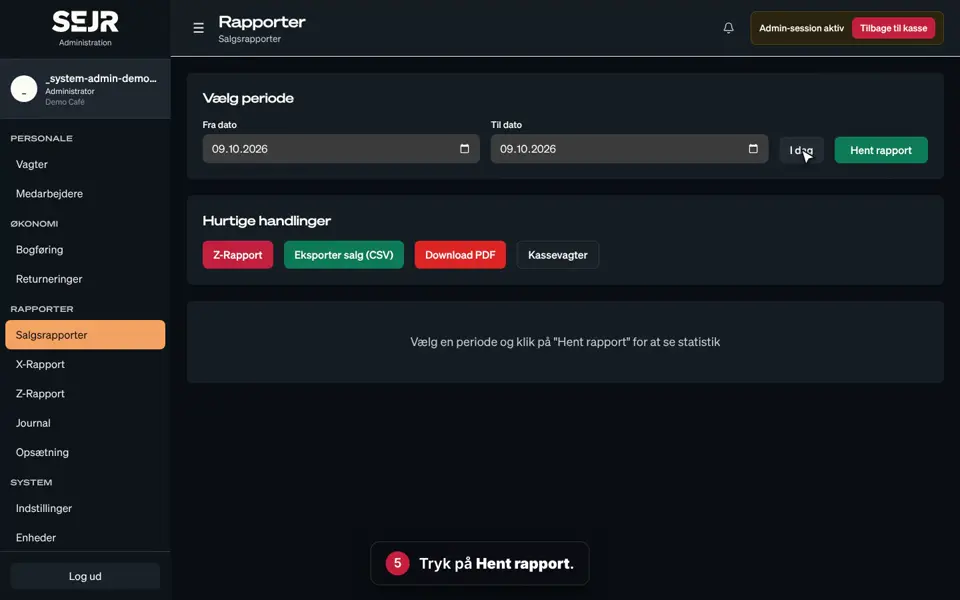 0:40 Use sales reports Learn how to use sales reports in SEJR POS. Video 0:40 · 9 steps→
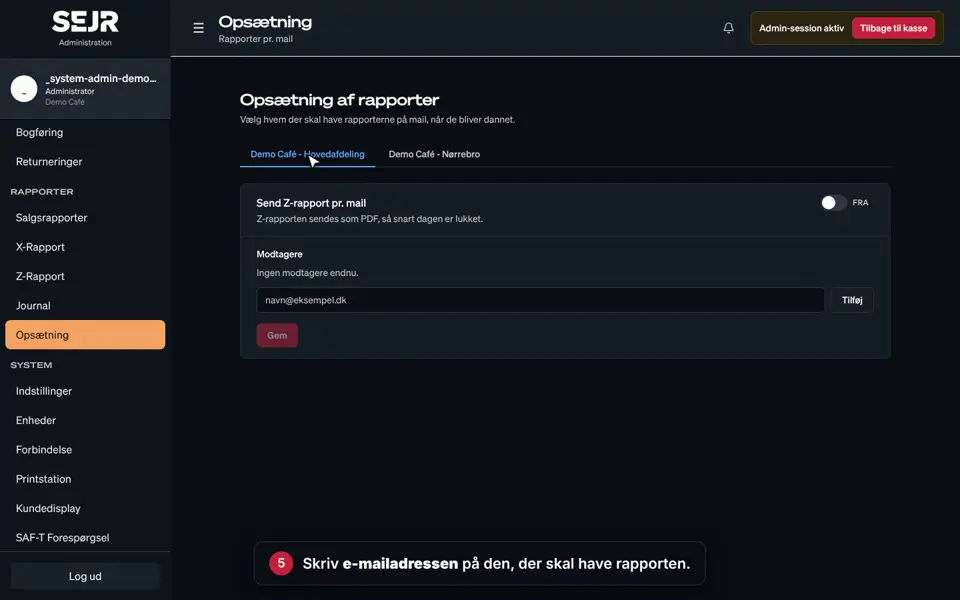 0:33 Z report by email Learn how to have the Z report sent automatically by email in SEJR POS. Video 0:33 · 8 steps→
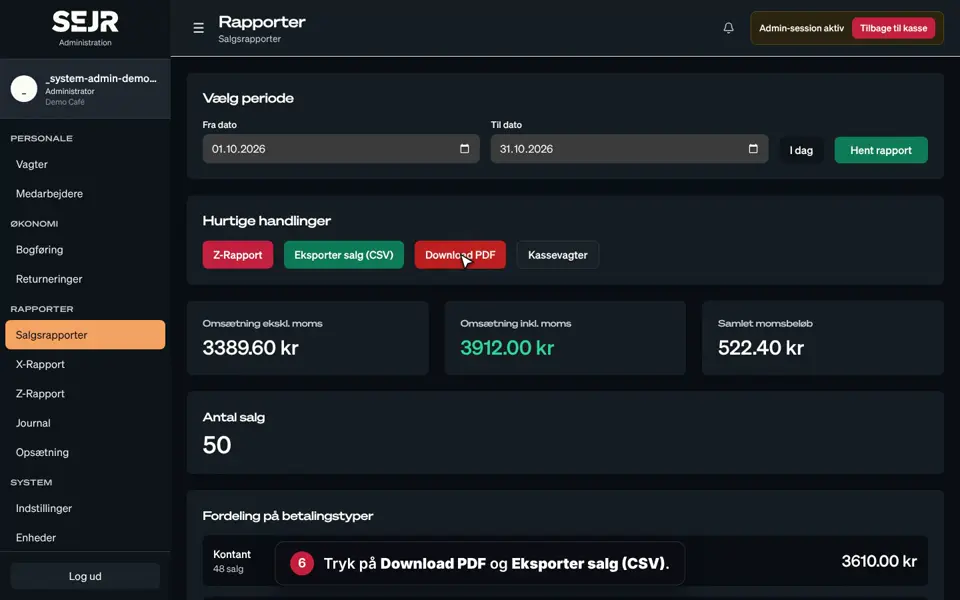 0:48 Month-end for your accountant Learn how to gather the month's figures for your bookkeeper or accountant. Video 0:48 · 11 steps→
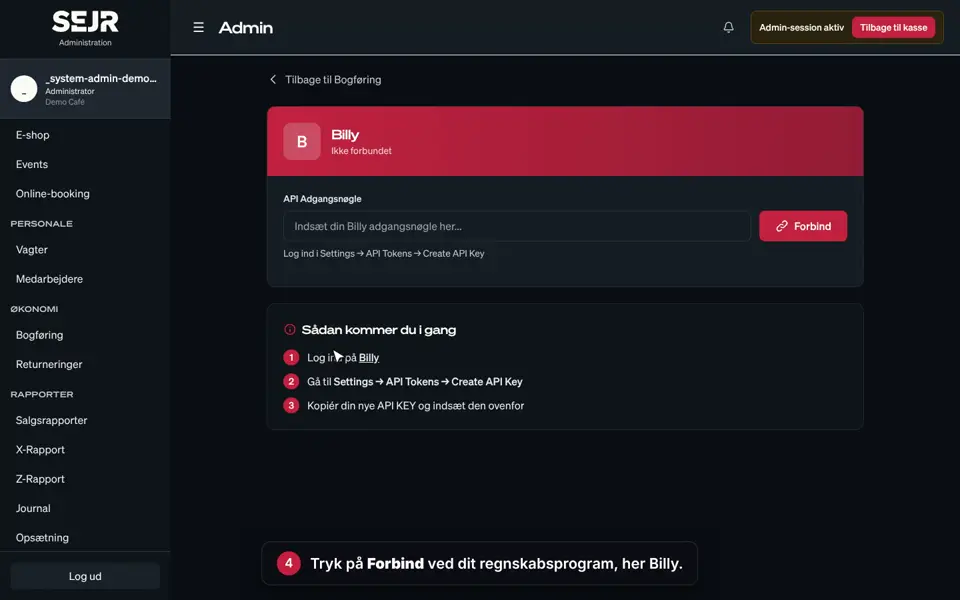 0:31 Connect your accounting software Learn how to connect SEJR POS to your accounting software. Video 0:31 · 7 steps→
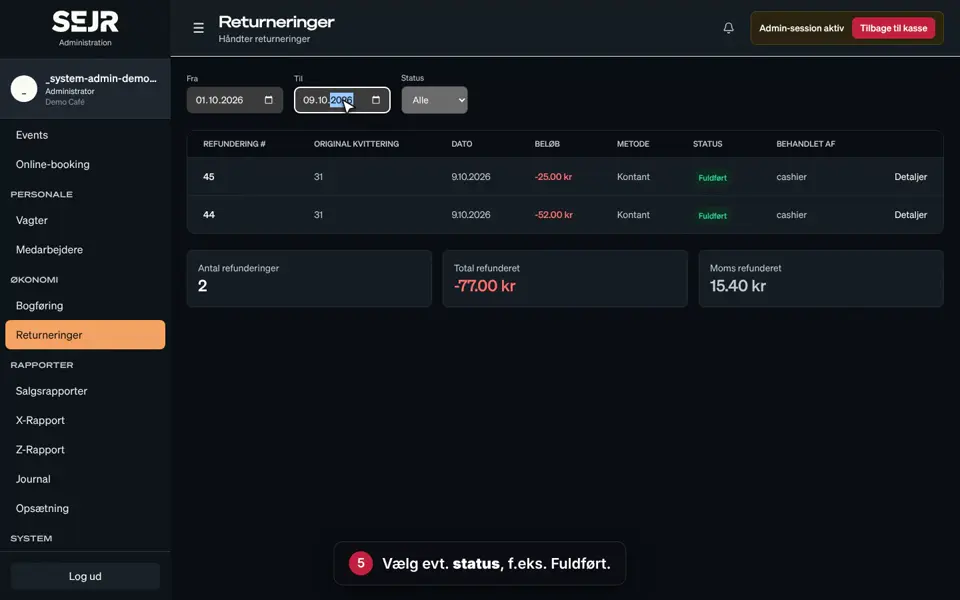 0:35 See returns Learn how to find the returns that have been made on the till. Video 0:35 · 9 steps→
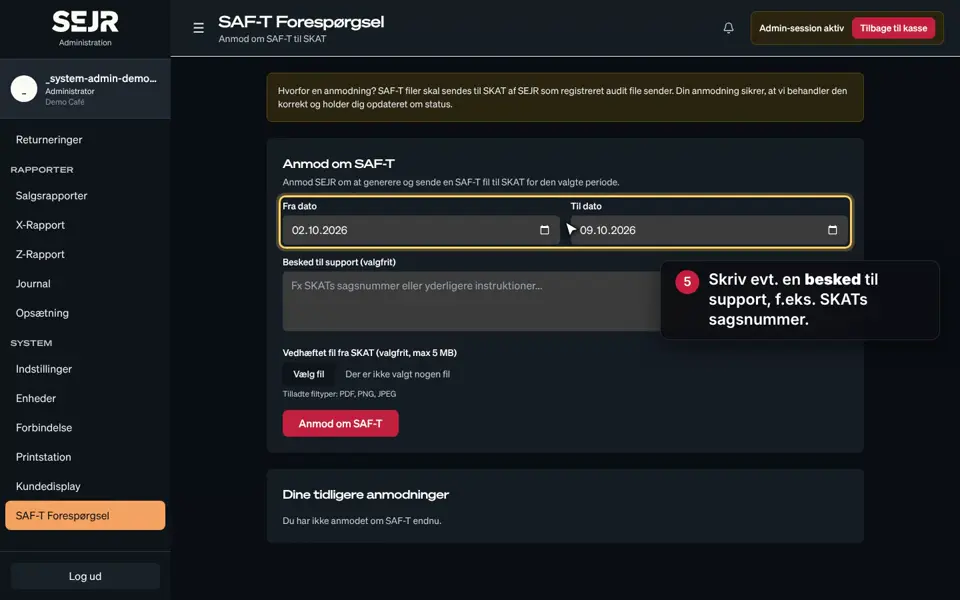 0:39 Request SAF-T Learn how to ask SEJR to send a SAF-T file to SKAT, the Danish tax authority. Video 0:39 · 8 steps→
Did not find the answer?
Call or write, and we will take it from here.
Weekdays 9–17, Danish time